For Photographers & Content Creators
Cull a shoot in minutes. Stay on-device.
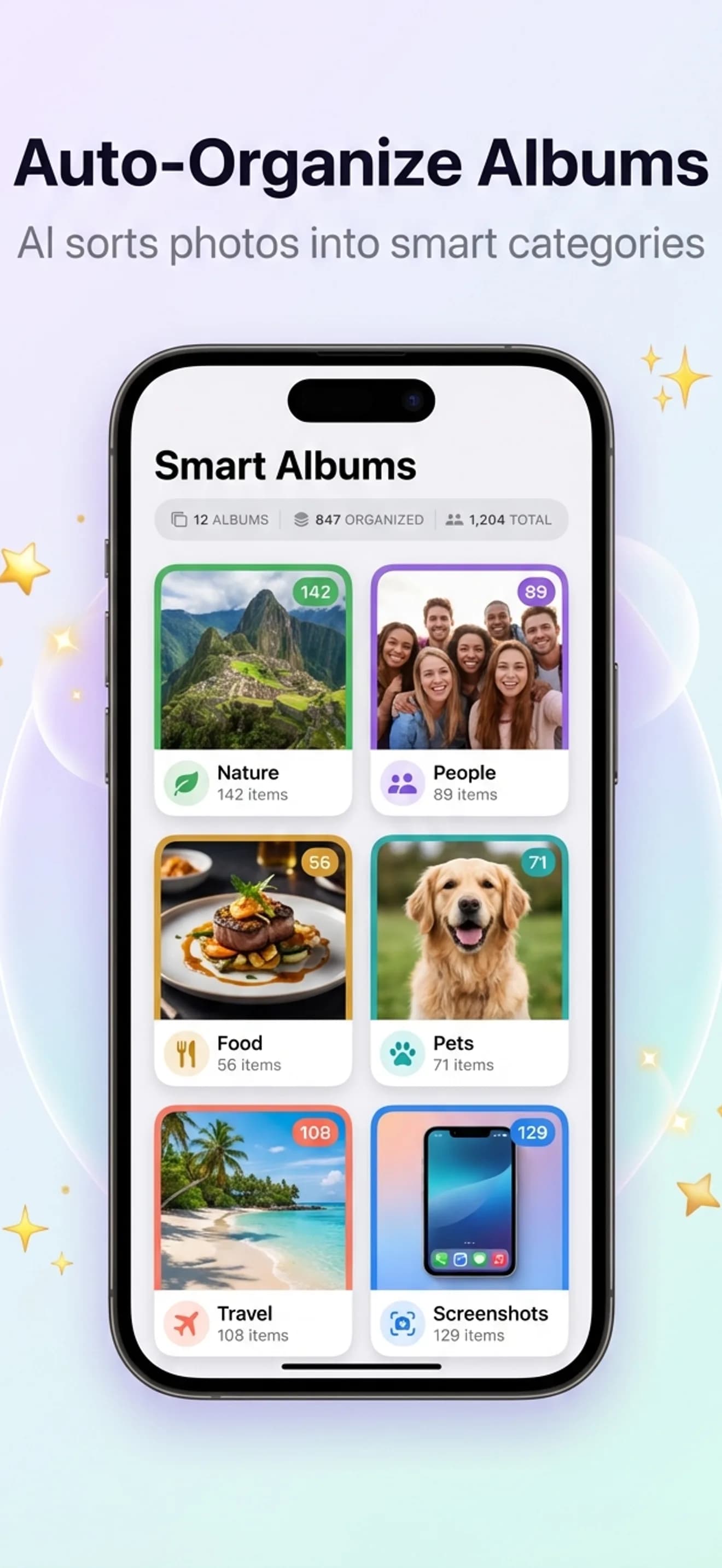
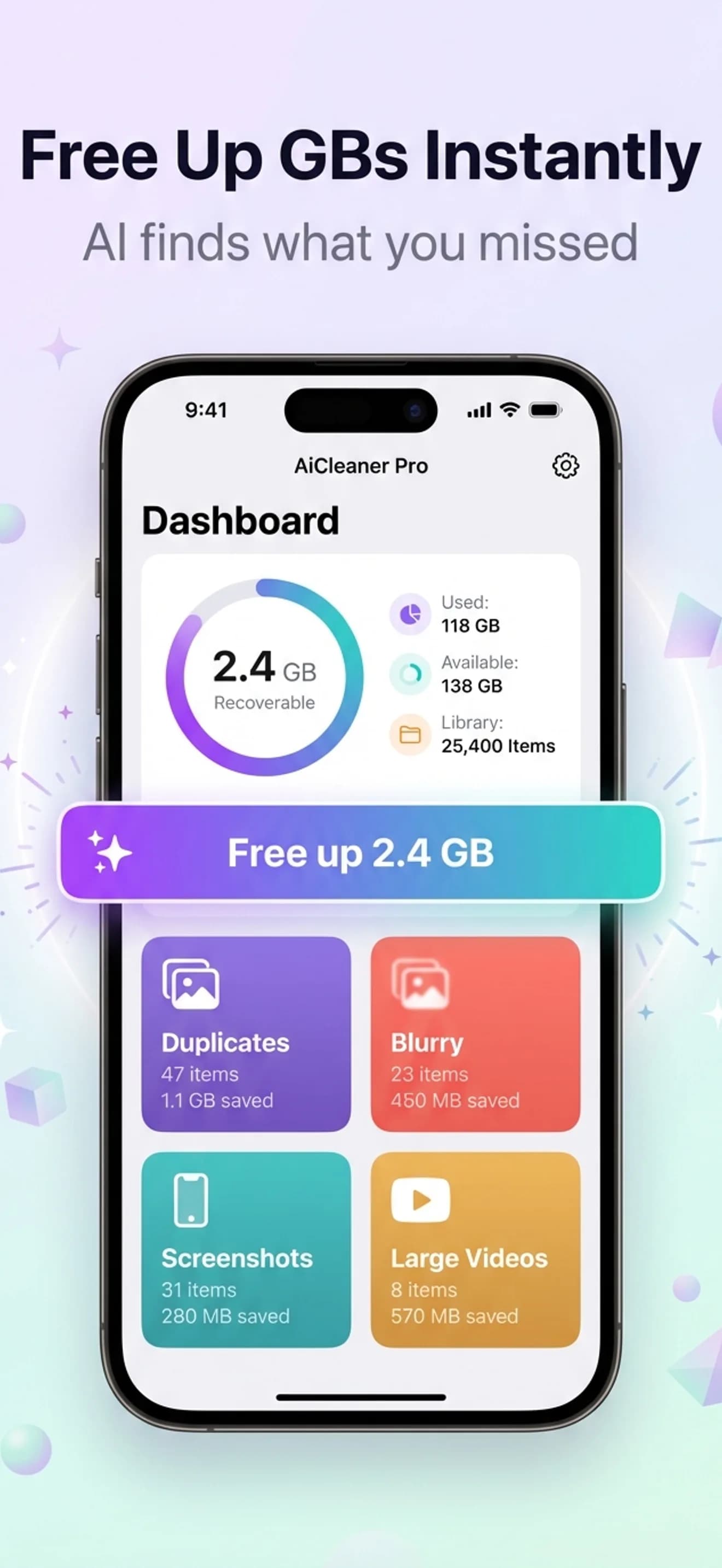
AiCleanerPro is a pre-cull tool for iPhone: it groups near-identical frames, flags blurry shots, and sorts video by size, so a thousand-frame shoot drops to a shortlist before it ever reaches Lightroom or Final Cut. Everything runs locally through Apple's Vision framework — nothing uploads, which is what makes it usable on NDA and client work.
Built for the creator workflow
Six creator pains. One app.
Generic photo cleaners delete duplicates. AiCleanerPro is designed for the workflows behind a shoot day.
1,000 shots from one shoot
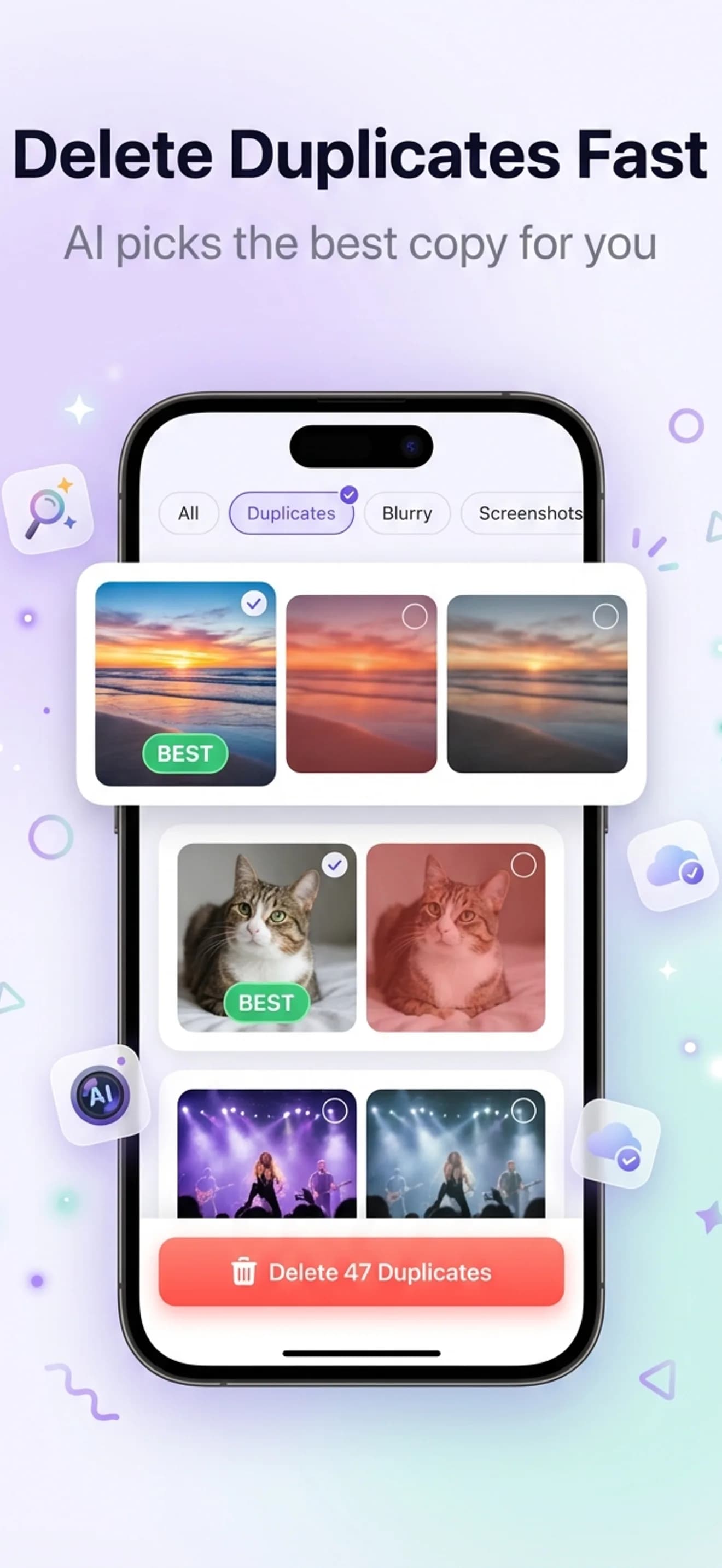
Similar Photos clustering picks the keeper from each burst — 3-second decisions, not 3-minute scrolls.
4K B-roll eating 30 GB
Video Organizer surfaces every clip by size and groups duplicate takes you forgot to delete.
Screen recordings piling up
Similar Videos groups tutorial captures and demo recordings for one-tap cleanup.
Thumbnail screenshots everywhere
Similar Screenshots batches references, mood boards, and old thumbnail attempts.
Client work can't go to the cloud
100% on-device. Apple Vision framework. Nothing uploads, ever.
Storage full mid-shoot
30-second pre-shoot scan typically clears 5–15 GB before you ever load the camera app.
Two different jobs
Stills and video fail in different ways
A photographer's storage problem is volume: thousands of near-identical frames. A video creator's is size: a handful of clips that each weigh more than a year of photos. The fix is different for each.
If you shoot stills
A portrait session produces 40 frames of one pose. Only one survives the edit, but all 40 stay on the phone, and none of them are duplicates in any file-comparison sense. Similar Photos clustering groups them by what the image contains, marks a recommended keeper based on sharpness, and lets you accept or override per cluster — roughly three seconds a group instead of three minutes of pinch-zoom comparison.
- —Sweep Blurry first: unambiguous deletes, no judgement needed
- —Then Similar Photos: keep the sharpest frame per cluster
- —ProRAW files run through the same pipeline as HEIC
- —Move the survivors to Lightroom for the creative cull
If you shoot video
4K30 records at roughly 6 MB per second, so one forgotten ten-minute take is about 3.6 GB — more than a thousand photos. Volume is not the problem; a dozen files are. Video Organizer lists every clip by size, groups duplicate takes and near-identical screen recordings, and surfaces the handful of files responsible for most of the library. Deleting three of them usually beats deleting three thousand photos.
- —Sort by size first: the top ten clips are most of the weight
- —Similar Videos catches repeated takes and test recordings
- —ProRes clips appear sorted by size, no transcoding involved
- —Do a pre-shoot pass so storage does not run out mid-take
The shoot-day workflow
Shoot day → clean library, in four steps.
Scan after the shoot
Open the app, tap Scan. The on-device AI groups every burst, near-duplicate, and similar take. Around 30 seconds for 5,000 photos. No upload, no waiting on cellular.
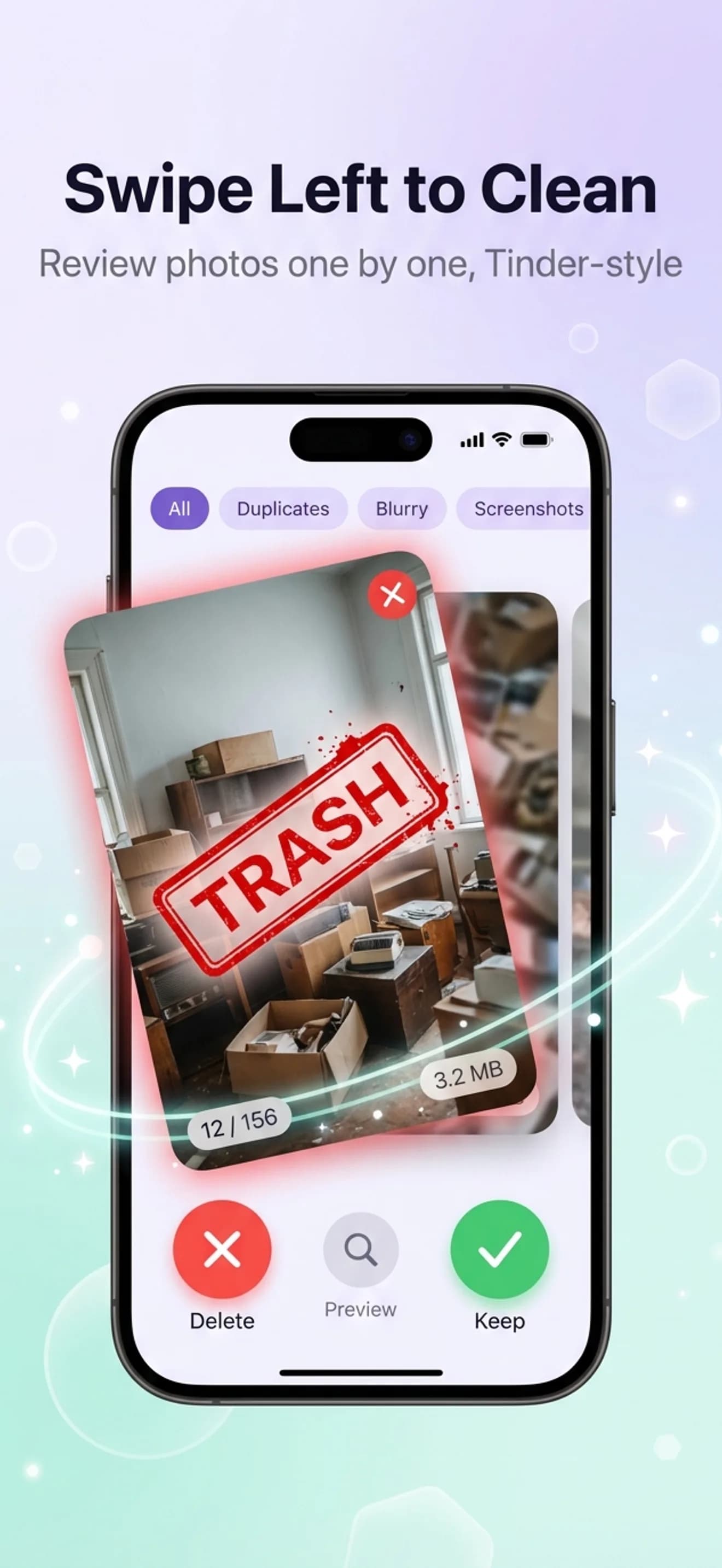
Cull the obvious in one sweep
Sweep Blurry first — unambiguous deletes. Then Similar Photos: each cluster shows a recommended keeper. Swipe left to delete, right to keep. Three seconds per cluster.
Clear video bloat
Open Video Organizer. Duplicate takes, old screen recordings, forgotten test clips — sorted by size with one-tap delete. 4K creators typically reclaim 20+ GB in a single pass.
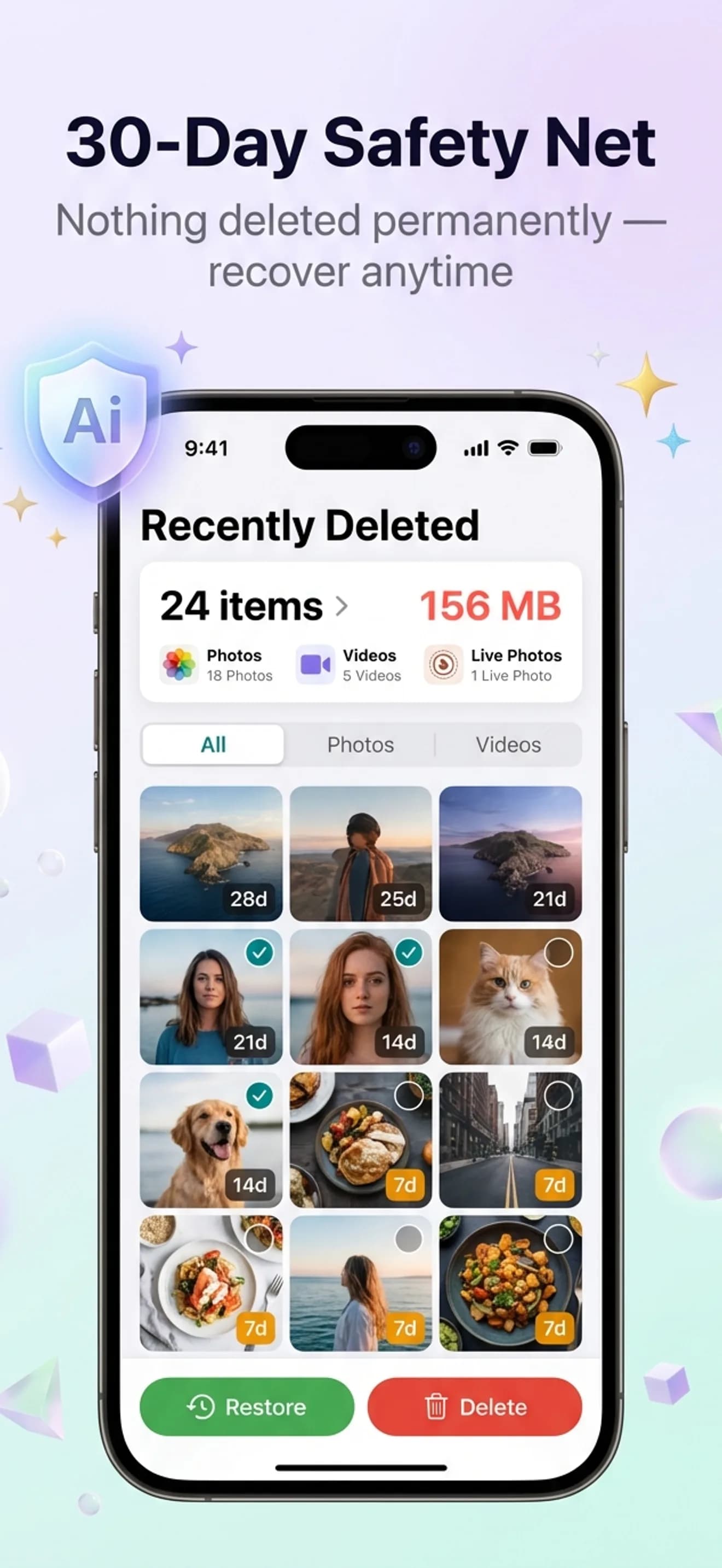
30-day safety net
Everything goes to the recycle bin for 30 days. If a client asks for an alt later, pull it back. Nothing's gone until you decide.
The privacy line
If you shoot client work, your cleaner can't be in the cloud.
Most photo cleaner apps run their AI on a server — meaning your photos and metadata leave your device for “analysis.” For NDA, client, or commercial work, that's a contract problem.
AiCleanerPro runs every model on-device using Apple's Vision framework. Nothing uploads. No analytics ping containing image data. Read the full privacy policy.
Companion guides
Workflow deep-dives
Photo waste calculator
Interactive — see how much storage you're losing before you install.
Cull 1,000 photos on iPhone in 5 minutes
Full photographer's culling workflow with on-device AI.
Organize 4K video on iPhone — free 20+ GB
Duplicate takes, B-roll bloat, and screen recording cleanup.
FAQ
Creator questions, answered.
Is it safe to use mid-shoot on client work?
Yes. Everything runs on-device using Apple's Vision framework. No photo or metadata leaves your iPhone. No upload, no analytics that carry image data. Suitable for NDA and client work.
Does it work with ProRAW and ProRes files?
Yes. ProRAW photos flow through the same duplicate and similar-grouping pipeline as HEIC. ProRes clips appear in the Video Organizer sorted by size — useful for surfacing forgotten 10 GB takes. No special codec processing is performed; files are detected and listed via the iOS photo library.
Will it delete photos automatically?
Never. Every deletion is reviewed and approved by you. Deleted files go to a 30-day recycle bin before permanent removal.
How is this different from Lightroom culling?
Lightroom is for the creative cull (color, composition, edit). AiCleanerPro is for the pre-cull (kill the obvious losers, duplicates, blurry frames). Use it first to get from 1,000 raw frames to ~80 keepers, then move those 80 to Lightroom.
Does it work offline?
Yes. No internet required. Important for shoots in locations with bad cell coverage or when you're traveling.
Try it on your next shoot.
Free to scan. First 3 cleanups are free. 30-day recycle bin so nothing's gone until you say so.