Alternatives
A CleanMy Phone alternative at half the price
CleanMy Phone starts at $9.99/month. AiCleanerPro is $4.99/month — and it finds the chat photos and burst sequences CleanMy Phone leaves behind. Both run entirely on your iPhone. Here is the honest comparison, including where CleanMy Phone still wins.
Side by side
CleanMy Phone vs. AiCleanerPro
Pricing verified against the 2026 App Store listings. Where the two are equivalent, we say so.
| CleanMy Phone (MacPaw) | AiCleanerPro | |
|---|---|---|
| Price | From $9.99/month, lifetime around $44.99 | Free for 3 full scans, then $4.99/month or $29.99/year |
| Try before you pay | Limited free pass, subscription for real cleanup | 3 complete scans free, every category unlocked |
| Processing | On-device, Apple-notarized | On-device, no backend at all |
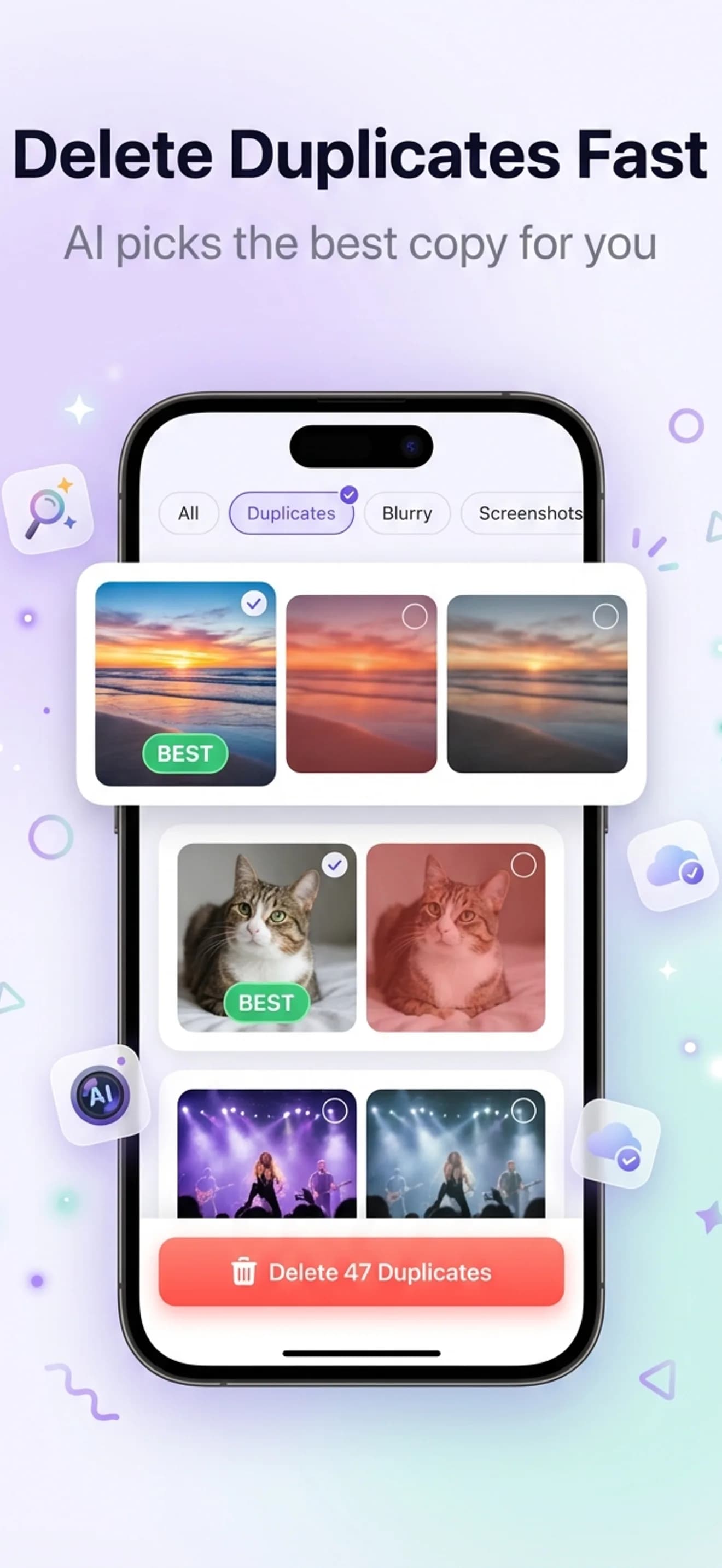
| Exact + near duplicates | Yes | Yes |
| Blurry photo detection | Yes | Yes |
| Screenshot cleanup | Yes | Yes |
| Chat photo detection | No | Yes — WhatsApp, iMessage, Telegram saves |
| Burst sequence review | No dedicated burst flow | Yes — keeps the best frame per sequence |
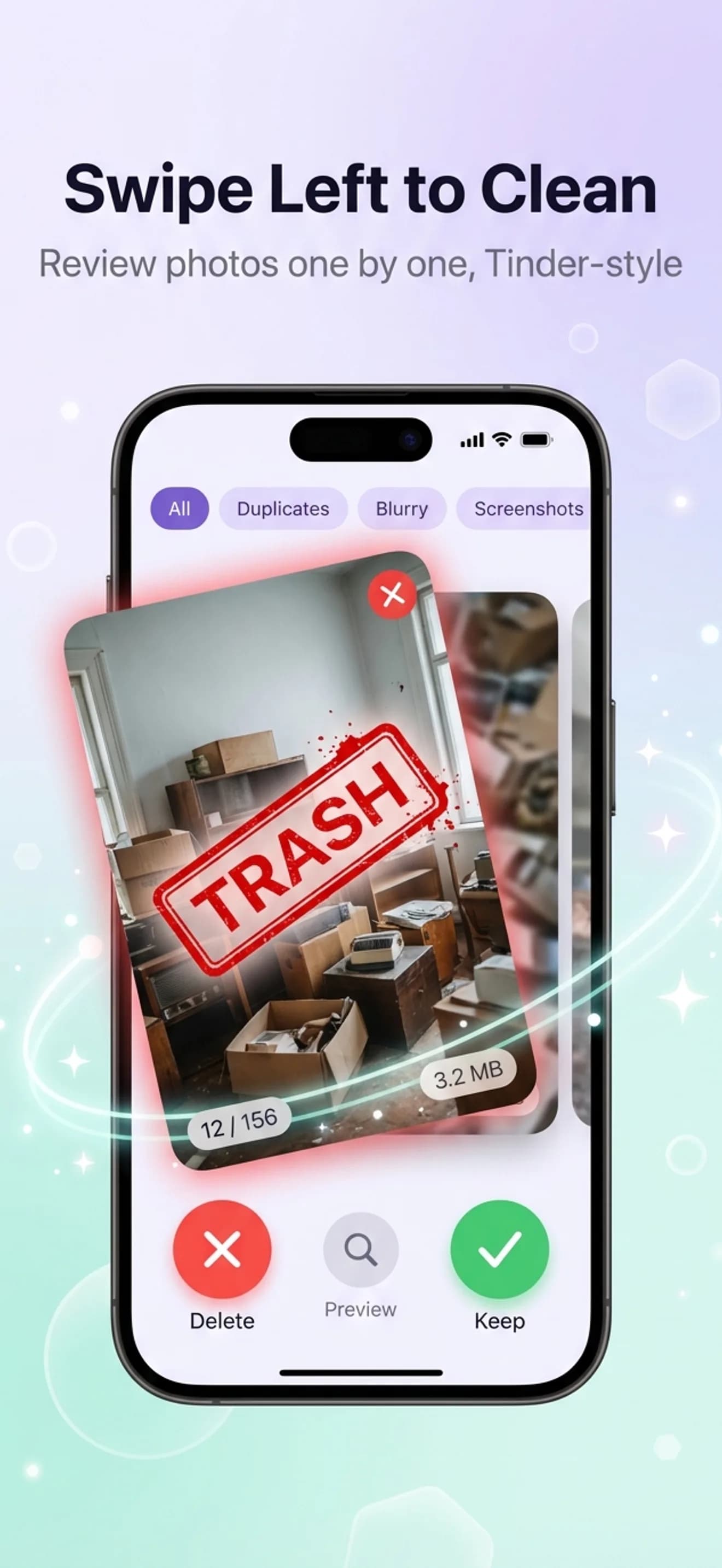
| Review interface | Grid selection | Swipe left to delete, right to keep |
| Undo window | iOS Recently Deleted (30 days) | In-app 30-day recycle bin plus iOS Recently Deleted |
| App Store rating | 4.6 across 22K+ ratings (US store) | Too new for a meaningful average (under 10 ratings) |
| Maker | MacPaw — long track record, CleanMyMac lineage | Independent, single-purpose photo cleaner |
Why people switch
Four reasons people look for a CleanMy Phone alternative
The monthly price is double
CleanMy Phone starts at about $9.99/month. AiCleanerPro is $4.99/month, or $29.99 for a year — less than three months of CleanMy Phone. If you only clean your library a few times a year, that gap is the whole decision.
Chat photos are the category that actually moves the needle
In our 12,000-photo benchmark, saved chat images accounted for roughly 2.2 GB — more than exact duplicates (1.4 GB). CleanMy Phone has no chat-photo category, so that storage stays put no matter how thoroughly you run it.
You want to see the result before paying
AiCleanerPro gives you three complete scans free with every category unlocked. You find out how many gigabytes are actually recoverable on your phone before any money changes hands.
Reviewing thousands of photos in a grid is slow
Grid selection works for fifty photos. For two thousand it is a chore. Swiping — left to delete, right to keep, with the recommended keeper already highlighted — is the difference between a ten-minute pass and abandoning halfway.
The honest part
Where CleanMy Phone is still the right call
CleanMy Phone is a genuinely good app. It processes on-device, it is Apple-notarized, and MacPaw has been shipping Mac and iOS utilities for well over a decade. Nothing here is a knock on its engineering.
It also does things AiCleanerPro does not. CleanMy Phone bundles broader phone-tidying tools beyond the photo library, and if you want one MacPaw account covering both your Mac and your iPhone, that consolidation has real value.
If you want a free option instead of either, Clever Cleaner is free with no ads and nothing locked, and it covers duplicates, similar shots, and screenshots well. It skips chat photos, same as CleanMy Phone.
The short version: pick CleanMy Phone if you want a MacPaw ecosystem and broader phone tidying. Pick AiCleanerPro if the photo library is the problem, you want chat photos and bursts caught, and you would rather pay $29.99 a year than $9.99 a month. Full breakdown of every option is on our photo cleaner comparison.
Switching
How to switch in about two minutes
There is no data to migrate. Both apps read your existing iOS photo library and delete through Apple's Photos framework, so nothing is stored inside either app.
Cancel the subscription
iOS Settings → your name → Subscriptions → CleanMy Phone → Cancel. You keep access until the current period ends.
Install AiCleanerPro
Free from the App Store, no account required. The first 3 full scans are free with every category unlocked.
Run a full scan
About 30 seconds for a typical library. Pay attention to the chat photos and bursts sections — that is the storage a previous cleaner left behind.
Swipe and clean
Left to delete, right to keep. Everything you remove sits in a 30-day recycle bin before it is gone for good.
Go deeper
Keep reading
Gemini Photos alternative
Gemini Photos is now CleanMy Phone. Four alternatives, ranked.
Clever Cleaner alternative
The best free cleaner, and the two categories it does not cover.
6 cleaners, one 12,000-photo library
The benchmark behind the numbers on this page, with per-app results.
Delete duplicate photos on iPhone
The duplicate-specific workflow, including what iOS misses.
FAQ
CleanMy Phone alternative questions
What is the best CleanMy Phone alternative for iPhone?
AiCleanerPro is the closest like-for-like alternative: on-device processing, the same duplicate, similar-photo, blurry, and screenshot detection, plus chat-photo and burst-sequence categories CleanMy Phone does not have — at $4.99/month against CleanMy Phone's $9.99/month. If you want a free alternative instead, Clever Cleaner covers duplicates, similar shots, and screenshots at no cost.
Is there a cheaper alternative to CleanMy Phone?
Yes. AiCleanerPro is $4.99/month or $29.99/year, roughly half CleanMy Phone's $9.99/month starting rate, and includes 3 full scans free before you subscribe. Clever Cleaner is free outright if you do not need chat-photo or burst detection.
Does AiCleanerPro upload my photos like some cleaners do?
No. AiCleanerPro has no backend server. Every model — perceptual hashing for duplicates, visual embeddings for similar shots, frequency-domain analysis for blur — runs on your iPhone through Apple's Vision framework and Core ML. The app works with the network switched off entirely. CleanMy Phone is also on-device, so on this specific point the two are equivalent.
What does AiCleanerPro find that CleanMy Phone does not?
Two categories. Chat photos: images auto-saved from WhatsApp, iMessage, and Telegram, identified by EXIF metadata patterns — typically the single largest pool of forgotten storage on a heavily-messaged phone. And burst sequences: AiCleanerPro groups each burst and keeps the sharpest frame, rather than leaving forty near-identical shots for you to sort by hand.
Can I switch from CleanMy Phone without losing anything?
Yes. Neither app stores your photos — both read your existing iOS photo library and delete through the system Photos framework. There is nothing to export or migrate. Cancel the CleanMy Phone subscription in iOS Settings, install AiCleanerPro, and run a scan. Anything a previous cleaner already removed simply will not appear.
Is CleanMy Phone the same as Gemini Photos?
Effectively, yes. MacPaw retired the Gemini Photos name and reworked the app into CleanMy Phone, and its Gemini Photos page now redirects there. If that is you, our Gemini Photos alternative page covers the migration in detail.
See what your last cleaner missed
3 full scans free, every category unlocked. If the chat photos and burst sequences come back empty, you have lost nothing but 30 seconds.