Alternatives
Gemini Photos alternatives for iPhone, ranked
Gemini Photos is now CleanMy Phone, and the thing people miss most is not duplicate detection — it is the AI grouping of near-identical shots with a suggested keeper. Four replacements, ranked by how closely they reproduce that, with real 2026 pricing.
Background
What happened to Gemini Photos
Gemini Photos was MacPaw's iPhone photo cleaner, a companion to the Gemini duplicate finder on Mac. It is no longer sold under that name: MacPaw's Gemini Photos page now redirects to CleanMy Phone, and CleanMy Phone's App Store listing dates back to December 2017, the Gemini Photos era. The old app was renamed and reworked, and the price moved to a subscription starting around $9.99 a month.
So if you are reading old Gemini Photos reviews, they describe an app that no longer exists in that form. The useful question is whether CleanMy Phone's price is worth it to you, or whether a cheaper or free app does the same job.
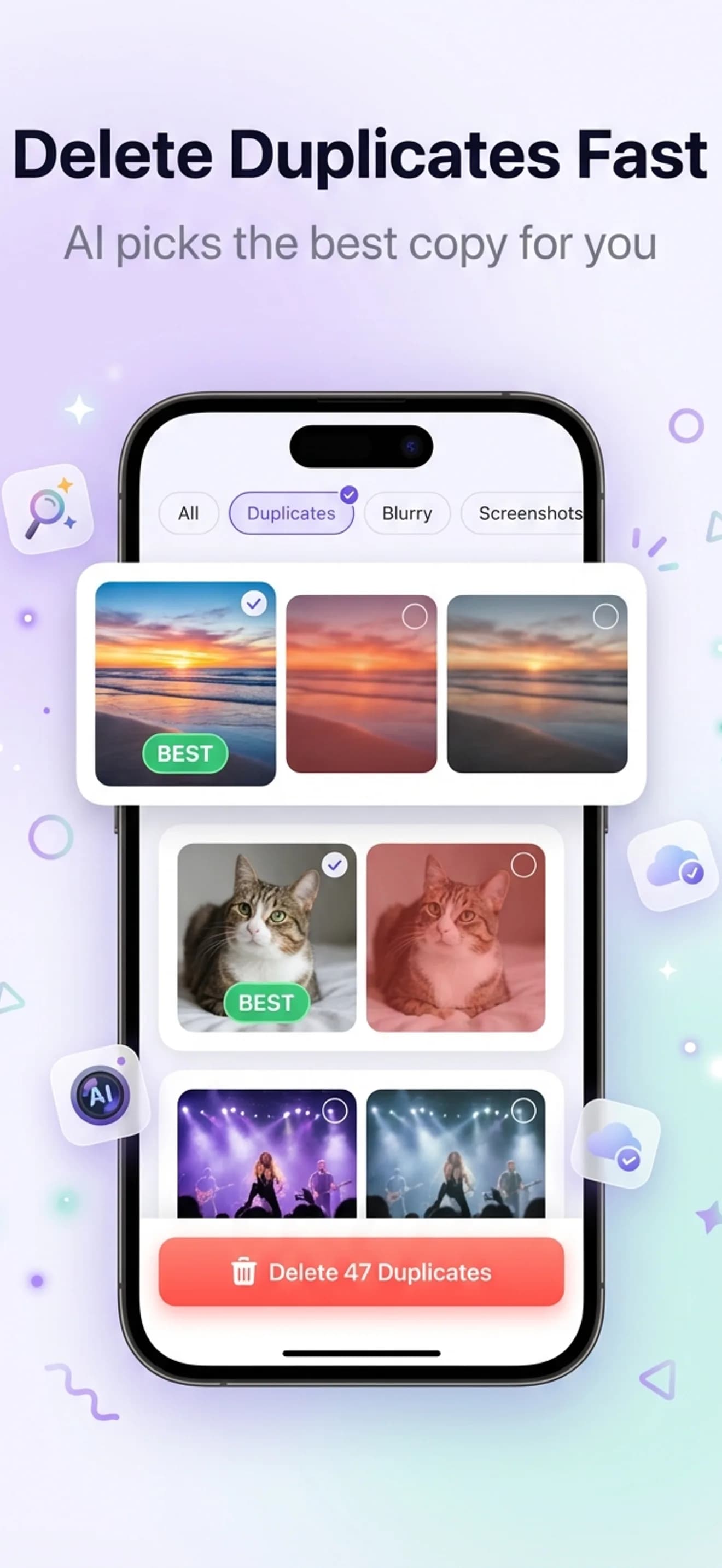
The practical question is not which app has the same name, but which one reproduces what Gemini Photos actually did well: grouping visually similar photos and telling you which one to keep. That is a narrower feature than "finds duplicates", and it is why Apple's built-in Duplicates album does not feel like a replacement.
The replacements
Four Gemini Photos alternatives, ranked
Ranked by how closely each one reproduces Gemini's similar-photo grouping. Pricing verified against the 2026 App Store listings.
AiCleanerPro
Free for 3 full scans, then $4.99/mo or $29.99/yrClosest match, plus the categories Gemini never had
Reproduces the part of Gemini Photos people actually miss — AI grouping of visually similar shots with a suggested keeper — and adds blurry-photo, screenshot, burst, large-file, and chat-photo detection. All on-device, no account, no upload.
Clever Cleaner: AI CleanUp App
FreeBest free replacement
Free with no ads and nothing locked behind a paywall. Covers duplicates, similar shots, and screenshots, plus video and Live Photo compression. No chat-photo detection, and blur detection is partial.
CleanMy Phone (MacPaw)
From $9.99/mo, lifetime around $44.99Gemini Photos itself, renamed
What Gemini Photos became: MacPaw's Gemini Photos page now redirects here. Same maker, on-device, Apple-notarized, and it covers duplicates, similar shots, and screenshots. It is the most expensive option here and skips chat photos.
iOS Photos — Duplicates album
Free (built in)Free first pass, already installed
Photos → Albums → Utilities → Duplicates. Exact, pixel-perfect copies only. It does not do the similar-shot grouping that made Gemini Photos useful, but it costs nothing and runs before you install anything.
What to look for
Four things a real replacement needs
Plenty of apps say "duplicate finder". Fewer do the part that made Gemini Photos worth opening.
Similar-shot grouping, not just duplicates
Gemini Photos' whole point was that it grouped the eleven near-identical shots you took of the same sunset and suggested which one to keep. Exact-duplicate tools do not do this. AiCleanerPro reproduces it with on-device visual embeddings, and highlights a recommended keeper per group.
A fast review flow
Gemini Photos moved quickly because you were never asked to make a decision about a single photo in isolation. AiCleanerPro uses a swipe review — left to delete, right to keep — so a few thousand candidates take minutes rather than an evening.
Clutter categories beyond photos you shot
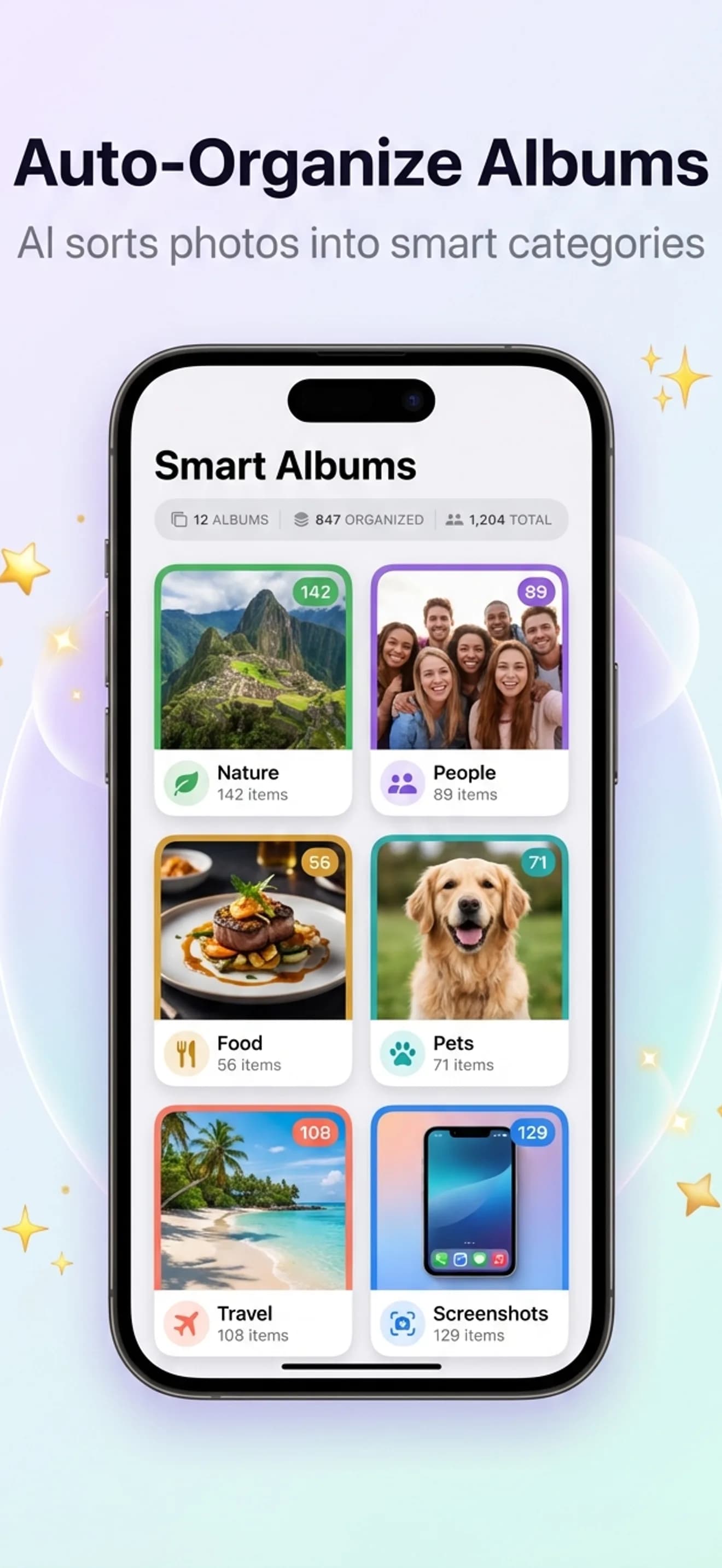
Screenshots, blurry frames, saved chat images, and oversized videos are usually a bigger pool than the duplicates. AiCleanerPro separates each into its own category so you can clear one at a time instead of scrolling one long list.
Confidence that nothing is really gone
Deleting hundreds of photos at once only feels safe with an undo. Everything AiCleanerPro removes lands in a 30-day recycle bin, on top of the iOS Recently Deleted album, so a mis-swipe is recoverable twice over.
Migrating
Moving off Gemini Photos, step by step
Nothing to export. Gemini Photos never stored your images — it read the iOS photo library and deleted through Apple's Photos framework, the same as every app on this page.
Check Recently Deleted
Photos → Albums → Recently Deleted. Anything Gemini removed in the last 30 days is still recoverable. Do this before you uninstall.
Cancel any subscription
iOS Settings → your name → Subscriptions. An old Gemini Photos plan may now renew as CleanMy Phone. Cancel it if you are switching.
Install a replacement
AiCleanerPro is free to install with 3 full scans, every category unlocked. Clever Cleaner if you want free outright.
Rescan the whole library
About 30 seconds for a typical library. Expect new finds in categories Gemini never had — screenshots, chat photos, and oversized video.
Go deeper
Keep reading
CleanMy Phone alternative
MacPaw's successor app, compared head to head on price and detection.
Delete similar photos on iPhone
Gemini's core trick — grouping near-identical shots — on iOS today.
6 iPhone photo cleaners compared
The full roundup with a feature matrix and verified 2026 pricing.
Best duplicate photo cleaners (2026)
App-by-app writeup of what each one actually detects.
FAQ
Gemini Photos questions, answered
What happened to Gemini Photos?
It is no longer sold under that name. MacPaw's Gemini Photos page (macpaw.com/gemini-photos) now redirects to CleanMy Phone, and CleanMy Phone's App Store listing dates back to December 2017, the Gemini Photos era. In practice Gemini Photos was renamed and reworked into CleanMy Phone, with a subscription starting around $9.99/month.
Is Gemini Photos still available on iPhone?
Not as Gemini Photos. Searching the App Store for it surfaces CleanMy Phone, MacPaw's current iPhone cleaner. If you want Gemini's similar-photo grouping without that price, AiCleanerPro and Clever Cleaner both group near-identical shots, and Apple's Duplicates album covers exact copies for free.
What is the best Gemini Photos alternative in 2026?
AiCleanerPro is the closest replacement: it reproduces Gemini's AI grouping of visually similar photos with a suggested keeper, and adds blurry-photo, screenshot, burst, large-file, and chat-photo detection that Gemini never had. It is $4.99/month or $29.99/year with 3 full scans free. If you want a free replacement, Clever Cleaner covers duplicates, similar shots, and screenshots at no cost.
Is there a free alternative to Gemini Photos?
Yes. Clever Cleaner is free with no ads and no locked features, and handles duplicates, similar shots, and screenshots. Apple's built-in Duplicates album (Photos → Albums → Utilities → Duplicates, iOS 16 and later) is also free but only finds exact copies, so it will not reproduce Gemini's similar-shot grouping.
Is CleanMy Phone the official Gemini Photos replacement?
Effectively yes: it is the same maker's renamed and reworked version of the app, and MacPaw redirects its Gemini Photos page to it. It processes on-device and is Apple-notarized. It also starts at about $9.99/month, roughly double AiCleanerPro's rate, and has no chat-photo category. Our CleanMy Phone alternative page compares the two directly.
Do I need to do anything before uninstalling Gemini Photos?
No. Gemini Photos never stored your photos — it read your iOS photo library and deleted through Apple's Photos framework, same as every cleaner on this page. There is nothing to export. Check your iOS Recently Deleted album first if you want to recover anything Gemini removed in the last 30 days, then delete the app.
Does AiCleanerPro upload my photos to a server?
No. There is no backend. Perceptual hashing for duplicates, visual embeddings for similar photos, and frequency-domain analysis for blur all run on your iPhone through Apple's Vision framework and Core ML. The app works with the network switched off entirely, and no photo data leaves the device.
Get the similar-photo cleanup back
Same grouping, same suggested keeper, plus the screenshot, blurry, burst and chat-photo categories Gemini never had. 3 full scans free, and a 30-day recycle bin so nothing is final until you say so.